Import media & subtitles
Pick media and an output folder. Import SRT/CSV/XLSX or generate subtitles with Whisper.
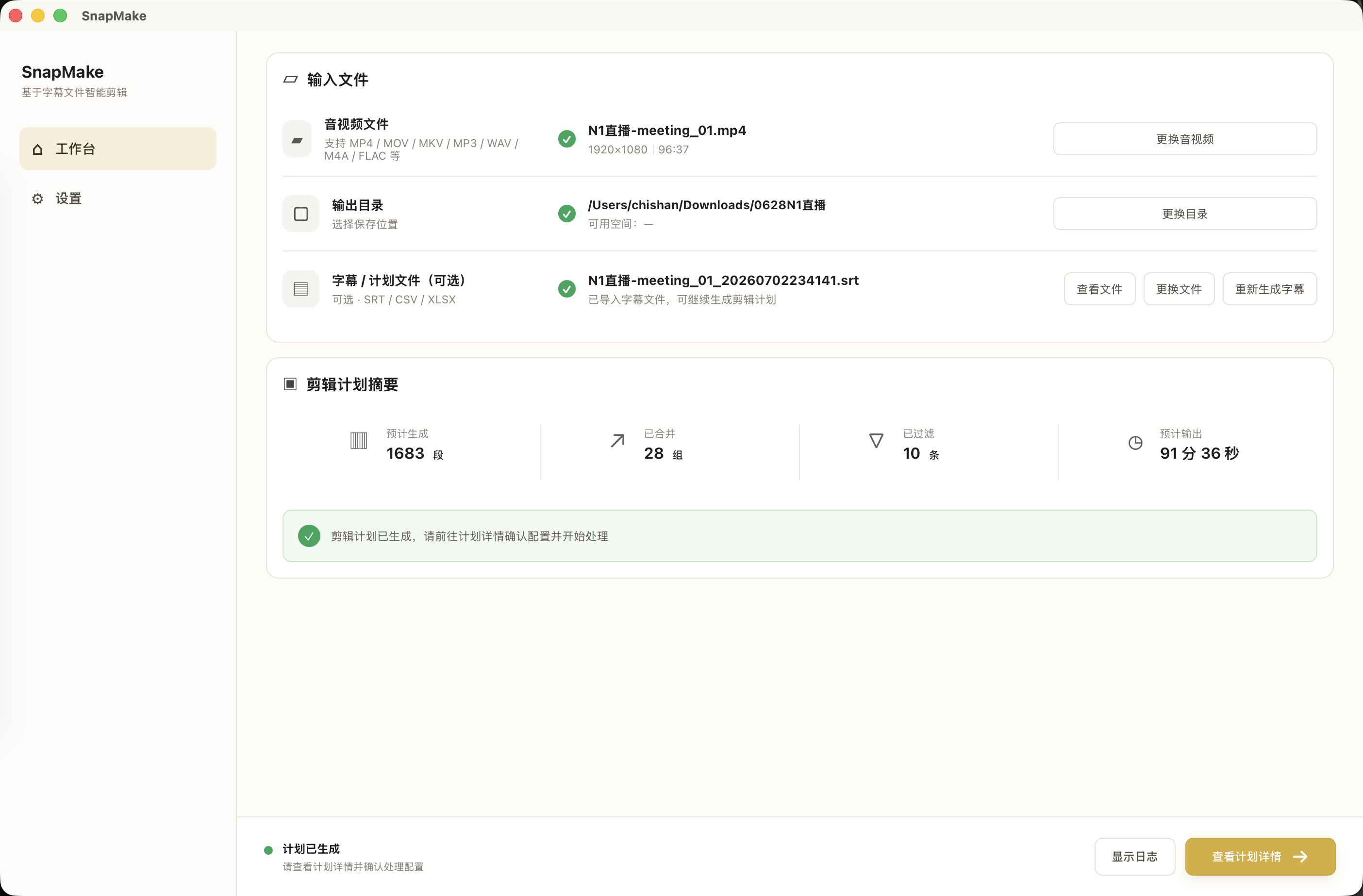
SnapMake is a local macOS batch clipping tool. Pick media and an output folder, import SRT/CSV/XLSX or generate subtitles with Whisper, select rows in the clip plan list, and batch-export video, audio, thumbnails, and Excel. Processing stays on your Mac.
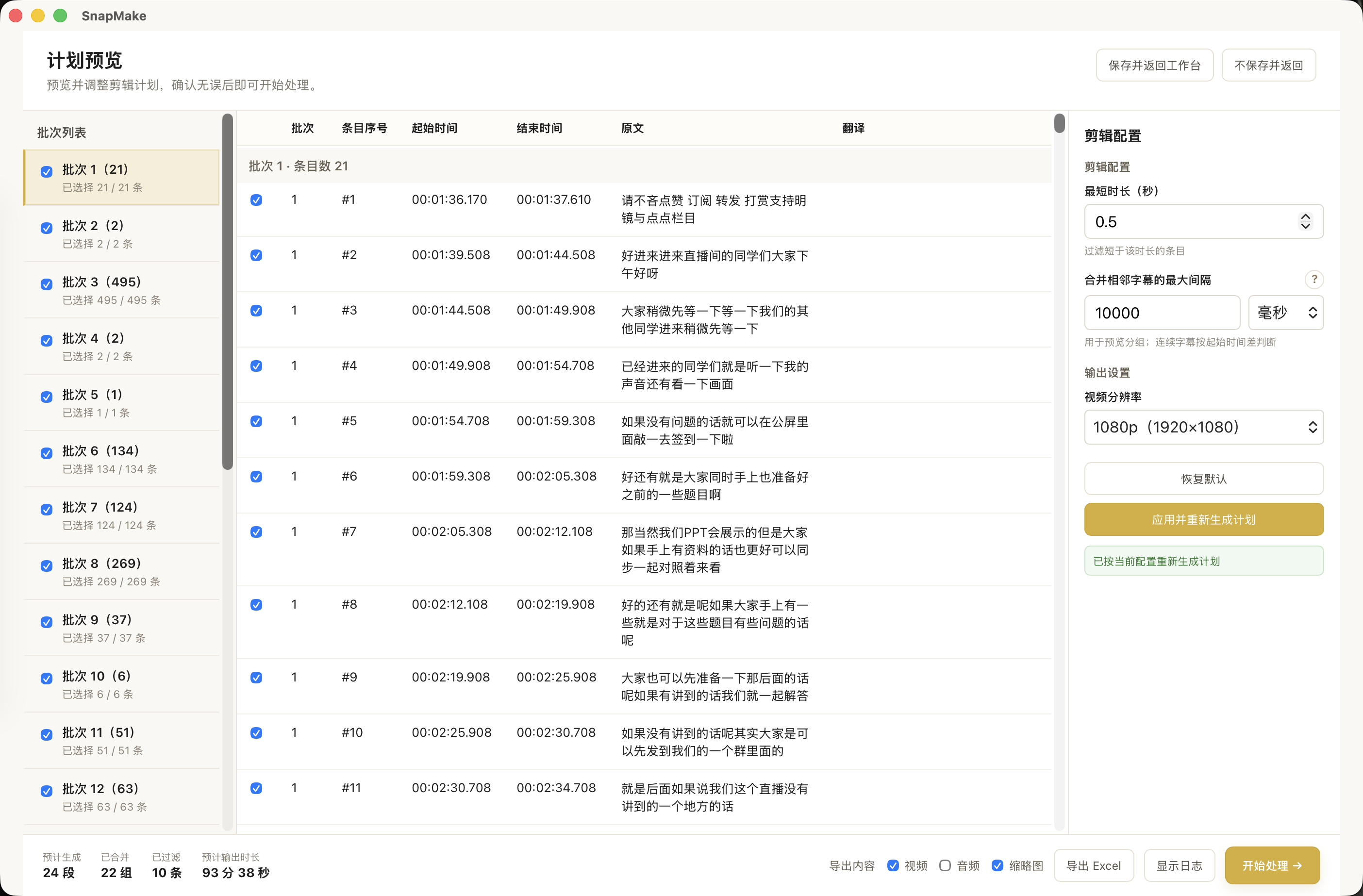
From import to export—everything stays on your Mac.
Pick media and an output folder. Import SRT/CSV/XLSX or generate subtitles with Whisper.
Review batches and subtitle timing in the plan preview. Check the rows you want and tune min duration or merge gaps.
Export video, audio, thumbnails, subtitles, and Excel plans in one run. Stream copy or re-encode.
Use SRT, CSV, or XLSX to build clip plans from subtitle timing. Select rows in the plan list, then batch export.
Generate SRT from video with on-device Whisper. Choose language and model; long media is processed in chunks.
Export video, audio, thumbnails, subtitles, and Excel plans. Stream copy or re-encode to match your workflow.
Split long recordings by subtitle plans, select the rows you need, and batch export—without hand-marking in/out points in an NLE.
Turn one long recording into many short clips without hand-marking in/out points for every segment.
Unreleased courses, internal meetings, client calls—processed locally, not uploaded to a cloud editor.
Already have SRT or a clip spreadsheet? Import and batch-run instead of editing segment by segment.